Creating high-quality printed materials starts long before your design reaches the printing press. One of the most common reasons for poor print quality is submitting artwork in the wrong file format. Whether you’re printing brochures, business cards, catalogs, flyers, packaging, or corporate stationery, choosing the correct file format ensures sharp images, accurate colours, and a professional finish.
At Emirates Printing Press, we help businesses prepare print-ready artwork that delivers exceptional results. This guide explains the best file formats for offset printing, when to use them, common mistakes to avoid, and how to prepare files for the best possible output.
Why Choosing the Right File Format Matters for an Offset Printing Press in Ras Al Khaimah
Every commercial printing project begins with a digital design. However, not every digital file is suitable for professional printing. A file designed for websites or social media may look perfect on a screen but produce blurry images, colour shifts, or missing fonts when printed.
Working with an experienced offset printing press in Ras Al Khaimah ensures your artwork is checked before production, helping eliminate costly printing mistakes. At Emirates Printing Press, our pre-press specialists inspect every file to ensure it meets professional printing standards before it goes to press.
Benefits of Using Print-Ready Files
- Sharper text and graphics
- Accurate colour reproduction
- Faster printing turnaround
- Reduced printing errors
- Lower reprint costs
- Professional brand presentation
Best File Formats for Professional Offset Printing
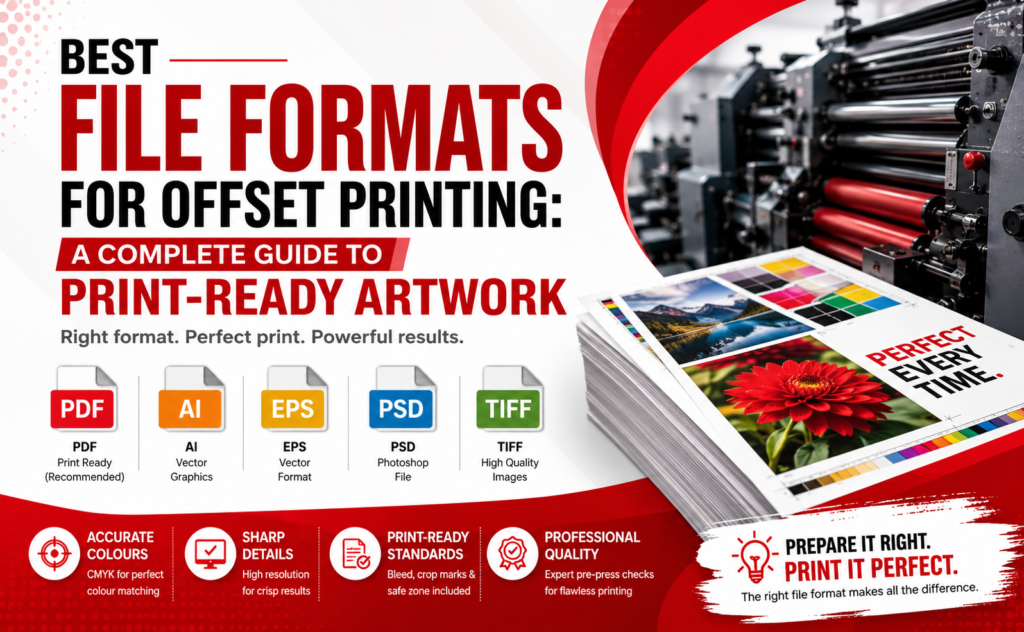
Not all file formats are created equal. Below are the formats most recommended for commercial offset printing.
File Format | Best For | Recommended for Offset Printing? |
PDF (Print Ready) | All commercial print jobs | Highly Recommended |
AI (Adobe Illustrator) | Logos, vector graphics | Yes |
EPS | Vector artwork | Yes |
PSD | Photoshop artwork | With layers flattened |
TIFF | High-resolution images | Yes |
JPEG | Photos only | Acceptable if high resolution |
PNG | Web graphics | Not Recommended |
DOC/PPT | Office documents | Requires redesign |
Bring Your Brand to Life with Premium Commercial Printing!
From business cards to banners, Emirates Printing Press delivers high-quality printing solutions in Ras Al Khaimah. Request your FREE quote today!
PDF – The Industry Standard for an Offset Printing Press in Ras Al Khaimah
PDF is considered the gold standard for commercial printing because it preserves fonts, layouts, colours, and image quality across all devices.
When sending files to an offset printing press in Ras Al Khaimah, exporting your artwork as a high-quality print PDF significantly reduces the chances of production issues.
Why PDF is Preferred
- Embeds fonts
- Maintains layout integrity
- Supports bleed and crop marks
- Compatible with professional RIP software
- Handles CMYK colour profiles
- Supports vector graphics
Adobe Illustrator (AI) Files for Offset Printing Services in UAE
Adobe Illustrator files are ideal for logos, illustrations, packaging designs, and marketing materials that rely heavily on vector graphics.
Businesses looking for reliable offset printing services in UAE often submit AI files because they allow graphics to be resized without losing quality.
Best used for:
- Business cards
- Flyers
- Packaging
- Labels
- Stickers
- Corporate branding materials
Looking for Reliable Commercial Printing Services in Ras Al Khaimah?
Partner with Emirates Printing Press for fast turnaround, premium quality, and customized printing solutions for your business.
EPS Files for Vector Artwork
EPS files remain one of the most trusted formats for professional commercial printing.
Advantages include:
- Infinite scalability
- Crisp logos
- High-quality illustrations
- Excellent compatibility with professional printing software
EPS files are commonly used for:
- Corporate logos
- Signage
- Promotional products
- Packaging
TIFF Files for High-Resolution Images in Offset Printing in UAE
When printing photographs or product images, TIFF files offer outstanding quality because they preserve every image detail without compression.
Businesses investing in offset printing in UAE often use TIFF images for:
- Product catalogues
- Luxury brochures
- Coffee table books
- Premium marketing materials
Recommended settings:
- 300 DPI minimum
- CMYK colour mode
- No compression
Your Trusted Commercial Printing Partner in Ras Al Khaimah
Whether it’s brochures, packaging, signage, or promotional materials, Emirates Printing Press has the perfect solution for your business.
Photoshop (PSD) Files
PSD files can be used if they are prepared correctly.
Before sending:
- Flatten unnecessary layers
- Embed linked images
- Convert colours to CMYK
- Ensure fonts are included or outlined
Are JPEG Files Good for Offset Printing?
JPEG files are acceptable only if:
- Resolution is at least 300 DPI
- Minimal compression has been used
- Images are professionally exported
Avoid low-resolution JPEGs downloaded from websites because they usually appear pixelated in print.
File Formats You Should Avoid
Certain formats are designed for digital screens rather than commercial printing.
These include:
- PNG
- GIF
- BMP
- Microsoft Word (.doc/.docx)
- PowerPoint (.ppt/.pptx)
- Screenshots
- Images copied from websites
These formats often lack proper colour profiles, print resolution, and bleed settings.
Print Smarter. Market Better. Grow Faster.
Get professional commercial printing that makes your business stand out. Contact Emirates Printing Press for a FREE consultation today.
Print Artwork Checklist Before Sending Files
Before submitting artwork to your printer, verify the following:
Checklist | Status |
PDF exported in High Quality Print | Recommended |
Images at 300 DPI | Required |
Colours converted to CMYK | Required |
Fonts embedded or outlined | Required |
3 mm bleed added | Required |
Crop marks included | Recommended |
Linked images embedded | Required |
Spellcheck completed | Recommended |
Common Mistakes That Delay Printing
Many printing delays occur because artwork isn’t properly prepared.
Avoid these mistakes:
- Using RGB instead of CMYK
- Missing bleed
- Low-resolution images
- Fonts not embedded
- Incorrect page sizes
- Transparent objects not flattened
- Linked images missing
- Exporting for web instead of print
Why Professional Pre-Press Services Matter
Even experienced designers occasionally overlook technical print requirements.
At Emirates Printing Press, our experienced team reviews every artwork file before production. Through our comprehensive printing services, we perform pre-flight checks to identify potential issues before your project reaches the press, ensuring exceptional print quality while reducing delays and unnecessary costs.
Our pre-press review includes:
- Colour profile verification
- Resolution checks
- Font inspection
- Bleed validation
- Layout review
- File compatibility testing
Why Businesses Choose Emirates Printing Press
Businesses across Ras Al Khaimah trust Emirates Printing Press because we combine advanced technology with experienced print professionals to deliver outstanding results.
Our expertise includes:
- Commercial offset printing
- Corporate printing
- Brochure printing
- Catalogue printing
- Packaging printing
- Business stationery
- Marketing collateral
- Custom print solutions
Learn more about our expertise and commitment to quality on our About Us page.
Ready to Make a Lasting Impression?
Choose Emirates Printing Press for premium commercial printing services in Ras Al Khaimah and elevate your brand with every print. Get your FREE quote today!
Final Thoughts
Preparing artwork in the correct file format is one of the most important steps in achieving professional printing results. Choosing print-ready PDFs, AI, EPS, or TIFF files helps eliminate production errors, improves colour accuracy, and ensures your printed materials reflect your brand professionally.
Whether you need brochures, catalogues, packaging, business cards, or marketing materials, partnering with an experienced offset printing press in Ras Al Khaimah makes all the difference.
Ready to Print with Confidence?
Don’t let incorrect file formats delay your project or compromise quality. The specialists at Emirates Printing Press are here to review your artwork, recommend improvements, and deliver exceptional offset printing services in UAE tailored to your business needs.
Contact our experts today through our Contact Page for a free consultation and let us help you create flawless print-ready artwork.
Frequently Asked Questions (FAQs)
- What is the best file format for offset printing?
A print-ready PDF is the most recommended format because it preserves fonts, images, layouts, colours, bleed settings, and overall print quality.
- Can I use JPEG files for professional printing?
Yes, but only if the JPEG is high resolution (300 DPI), saved with minimal compression, and converted to CMYK colour mode.
- Why is CMYK better than RGB for offset printing?
CMYK is the colour model used by commercial printing presses, ensuring colours print accurately. RGB is designed for digital screens and may produce unexpected colour shifts when printed.
- What resolution should images have for offset printing?
Images should be at least 300 DPI at their final print size to ensure crisp, professional-quality results.
- Should I convert fonts before sending artwork?
Yes. Either embed your fonts in the PDF or convert them to outlines to prevent font substitution during printing.
- Can Emirates Printing Press check my artwork before printing?
Absolutely. Our pre-press specialists carefully review every file for resolution, bleed, colour settings, fonts, layout, and print compatibility to ensure the highest quality output before production begins.